/mobile-design
Mobile app design without AI slop
— About —
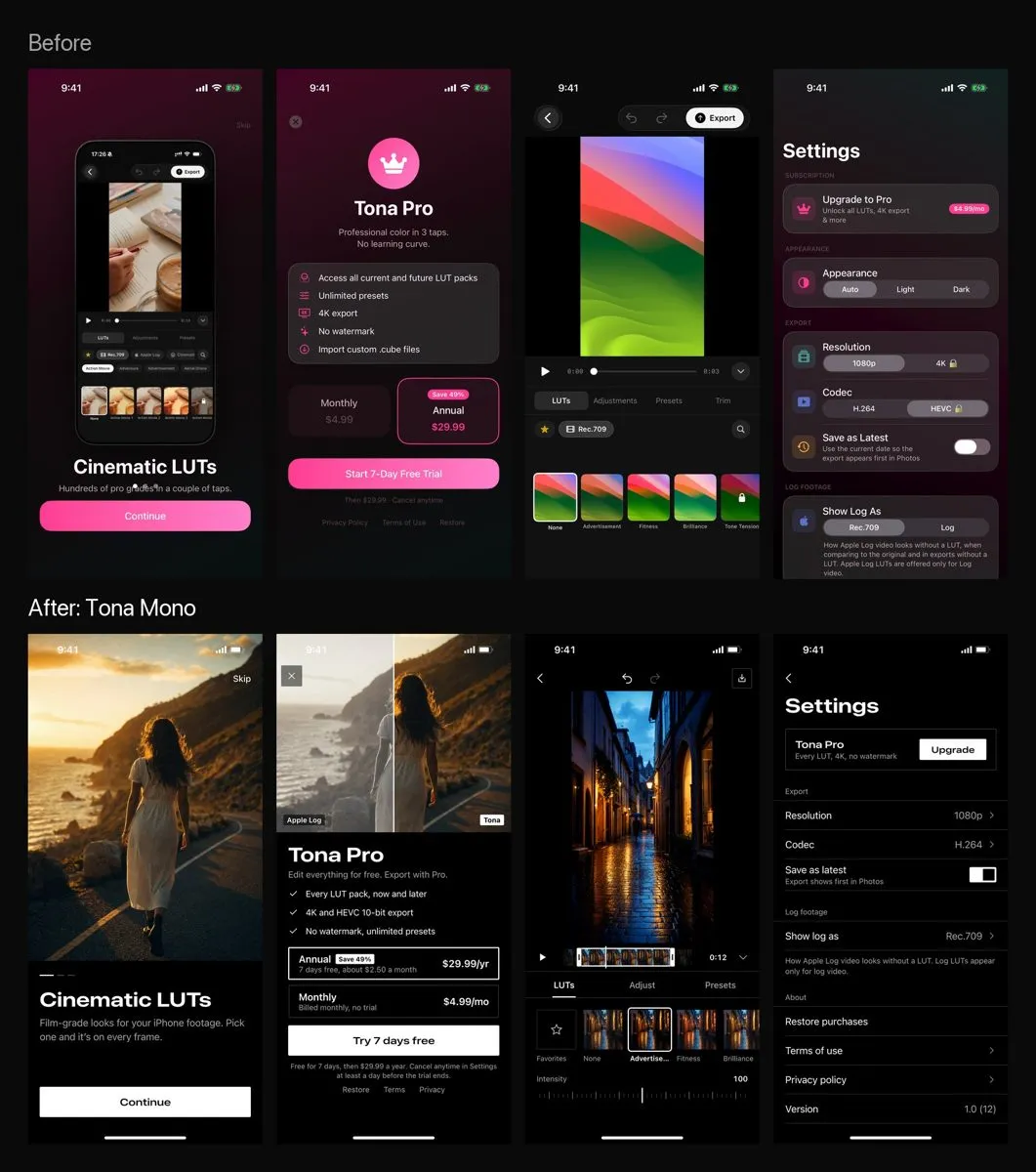
Ask Claude for “a beautiful app design” and you get a pink gradient, glass cards, pill buttons and a crown on the paywall. That is how my Tona looked until I wrote down the rules I used to redesign it.
This skill is those rules. Works for SwiftUI, React Native, Flutter and Compose. No code yet? It draws 402×874 HTML mockups.
Features
Purpose first
Figures out what the screen is for: content, one main action, platform.
A small strict system
Colours, fonts, spacing and 3 radii. Screens take values only from there.
Bans
Gradients, glass, pills, icons in circles, crowns, emoji and centring everything.
Recipes and a checklist
Onboarding, paywall, empty state, gallery, settings, editor, sheet. Every screen runs through a checklist before you see it.
Install
- 01
Paste into Claude Code:
Install the skill https://github.com/vaykondev/mobile-design-skill into ~/.claude/skills
- 02
Restart Claude Code and the command appears:
/mobile-design design onboarding and paywall screens for my app